Technical SEO Checklist: 20 Points That Help Search Engines Understand Your Site
Great content can't rank if search engines can't reach and understand it. This is the technical SEO framework we use when auditing websites, layer by layer.
You can write the best article in your field, but if a search engine can't reach it, render it or understand how it relates to the rest of your site, it won't appear for the people searching for it. Technical SEO is the work of removing those obstacles, and it's the foundation every content and link effort rests on. This guide covers twenty points across five layers: why each one matters, and how to find and fix problems in it.
Key takeaways
- 1Technical SEO answers one question: can a search engine reach, render, index and understand your page?
- 2Prioritise fixes by impact: indexing blockers first, then duplication, then rendering, then on-page and performance.
- 3The most dangerous problems are silent: a stray noindex, a "not found" page that returns 200, or content that only appears after JavaScript.
- 4Check Google Search Console weekly and make a technical audit part of every release or template change.
How does a page get from a URL into search results?
Before any page appears in Google, it passes through a sequence of stages. At each one, pages can drop out because of a technical flaw, and a page that drops out early gains nothing from later content improvements.
A page's journey through a search engine
- 1Discovery
The engine finds the URL through the sitemap, an internal link or an external link
- 2Crawling
It requests the page and reads the status code and content, unless robots.txt blocks it
- 3Rendering
It runs the page as a visitor sees it, including JavaScript
- 4Indexing
It decides to store the page and picks its canonical version
- 5Ranking
The page competes on relevance, quality and experience
The five layers of technical SEO
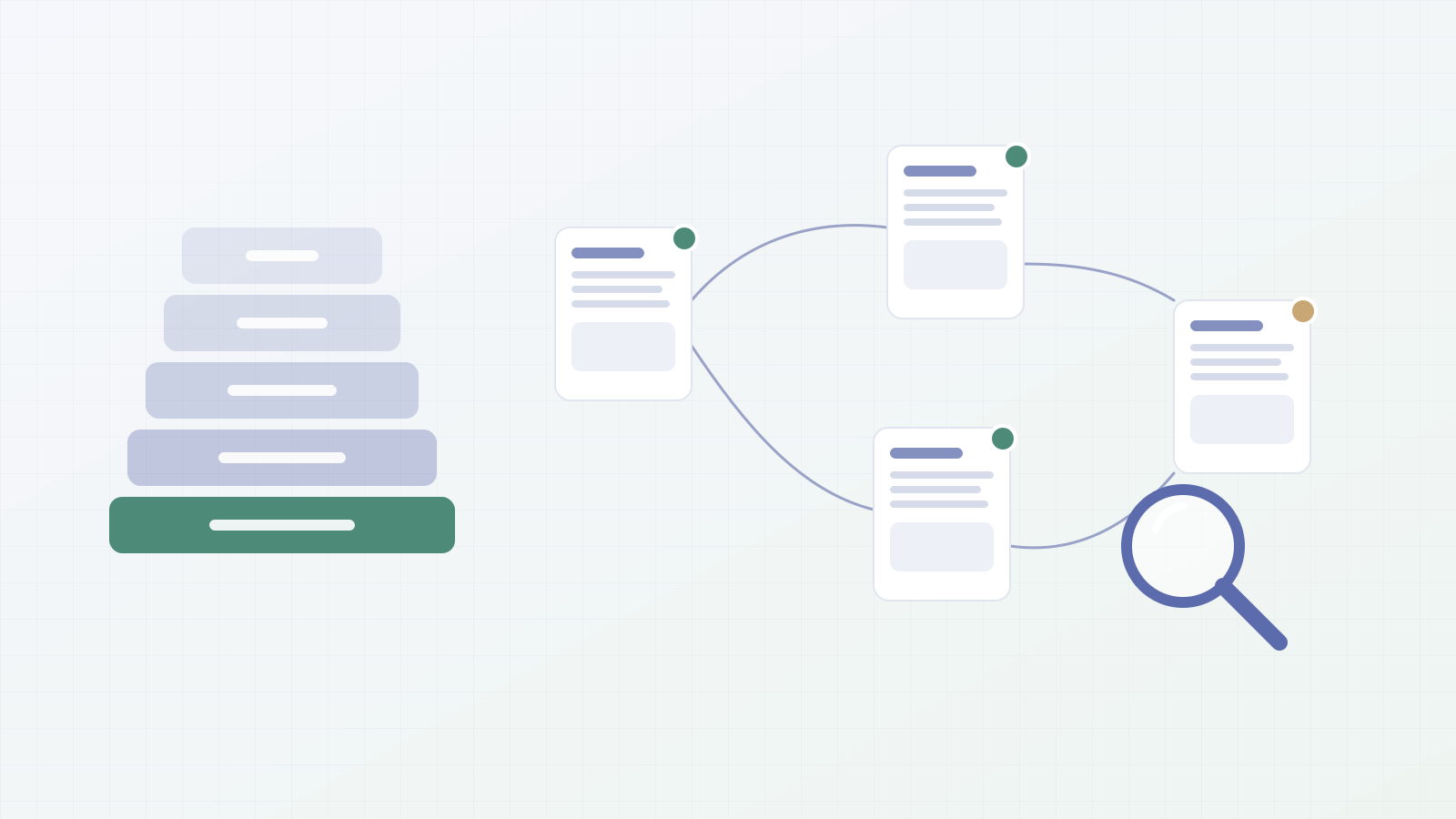
That's why we split technical SEO into five layers. Improving an upper layer makes little sense until the ones beneath it are sound:
The layers of technical SEO, from foundation to top
- ExperienceSpeed, mobile and security
- UnderstandingHeadings, structured data and internal links
- IndexingCorrect status codes and the page's canonical version
- RenderingContent present in the HTML as visitors see it
- CrawlingThe engine reaches important pages without obstacles
Layer 1: Crawling: can the engine reach your pages?
Crawling is the first test. If Googlebot can't request and read the page, the story ends here.
- 1A sane robots.txt
Allow public sections and block only private ones, such as the admin area and internal search results. Never block CSS or JavaScript needed for rendering. Details in our robots.txt and sitemap guide.
- 2A clean XML sitemap
Only canonical, indexable URLs that return 200, referenced in robots.txt and submitted in Search Console.
- 3Crawlable internal links
Real anchor tags with href, not buttons that rely on JavaScript to navigate. See our internal linking strategy.
- 4Reasonable depth
Important pages three clicks or fewer from the homepage, so both the engine and visitors reach them easily.
Watch out for a common mix-up between blocking crawling and blocking indexing:
A practical example: why doesn't a new page appear after weeks?
Say you published a new service page and it still isn't in search a month later. Before writing more content, trace the engine's path to it. Is the page linked from the menu or from another indexed page? If not a single internal link points to it, it's an "orphan page" the crawler may never discover. Is it in the sitemap? Is robots.txt blocking it by mistake through a broad rule that blocks a whole folder? Finally, open the URL Inspection tool in Search Console and request indexing once the cause is fixed.
In most cases we review, the fix is simple: an internal link from a strong page and adding the page to the sitemap. Google's official documentation on robots.txt explains the rules precisely, and it's worth reading before you edit the file, because one wrong line can block the entire site.
Layer 2: Rendering: does the engine see what visitors see?
Modern sites rely heavily on JavaScript. If core content only appears after scripts run, indexing can be delayed or partial.
Rendering that hurts SEO
- Content loads only after JavaScript
- Important text hidden behind several clicks
- Navigation links built on click events with no href
Rendering that helps SEO
- Core content present in the initial HTML (server rendering)
- Important text visible without interaction
- Real links the engine can follow
That's why we build sites with server-side rendering, as explained in our guide to choosing the right tech stack. To check a specific page, use the URL Inspection tool in Google Search Console and view the page as Google sees it.
Layer 3: Indexing: is the right version stored?
This is where the most dangerous silent mistakes happen, because the site looks fine to visitors while the engine sees something different.
| Situation | Correct code | Why? |
|---|---|---|
| Page moved permanently | 301 Moved Permanently | Passes the old page's signals to the new one |
| Page removed, no replacement | 404 or 410 | Tells the engine to drop it from the index |
| Temporary maintenance | 503 with Retry-After | Stops the maintenance page being indexed instead of the content |
| Page works normally | 200 | The only status under which a page is indexed |
And four indexing points worth reviewing on every site:
A page that says "not found" but returns 200. It wastes crawl budget and can get empty pages indexed.
On every indexable page, naming the preferred version and consolidating duplicates created by tracking parameters.
noindex for thank-you pages, internal search and thin pages, and keep them out of the sitemap.
www and non-www, HTTP and HTTPS, trailing slash or not: all consolidate to one version with a 301.
If you're moving your site to a new domain or structure, this layer is the most sensitive; follow our site migration SEO guide.
The duplicate content you don't see
Many indexing problems don't come from duplicate pages you wrote yourself, but from copies the site generates automatically: the same page with and without www, on HTTP and HTTPS, with tracking parameters such as ?utm_source, or with sort and filter options in online stores. Each copy looks like a separate page to the search engine, so signals are split between them and the engine may pick a version you don't want.
There are three tools for the cure: permanent 301 redirects from every variant to one preferred version, a canonical tag on every page pointing to its preferred URL, and never using internal links that carry tracking parameters. After applying them, watch the "Pages" report in Search Console and you'll see the number of pages excluded as duplicates gradually fall.
Layer 4: Understanding: does the engine know what the page is about?
Once a page is indexed, the engine needs to understand its topic and how it relates to the rest of the site.
- 1One H1 and a logical hierarchy
The H1 describes the page topic, followed by H2s and H3s ordered like a book's contents.
- 2A unique title and description per page
Duplication confuses the engine and lowers click-through. Preview them with the Meta Tags Preview tool.
- 3JSON-LD structured data
Such as Organization, BreadcrumbList, Article and FAQPage, only when it matches visible content. Start with our schema markup guide and the Schema Markup Generator.
- 4hreflang for multilingual sites
Link each version to its counterparts with a self-reference and x-default, as in our international SEO guide.
- 5Descriptive image alt text
Explains the image's purpose and helps image search and accessibility.
- 6Meaningful anchor text
Instead of "click here", use text that describes the target page.
Layer 5: Experience: is the page fast and secure on mobile?
Google primarily indexes the mobile version and uses page experience signals in ranking. These are the official Core Web Vitals thresholds for a "good" rating:
| Metric | What it measures | Good | Poor |
|---|---|---|---|
| LCP | How fast the largest element appears | 2.5 seconds or less | Over 4 seconds |
| INP | How quickly the page responds to interaction | 200 ms or less | Over 500 ms |
| CLS | Layout stability while loading | 0.1 or less | Over 0.25 |
The thresholds are assessed at the 75th percentile of real page visits, according to Google's web.dev documentation. We explain them in detail in our Core Web Vitals guide and website speed guide; a quick start is compressing your images with the Image Compressor.
The same content, links and structured data on mobile, because that's the version that gets indexed.
No mixed content, and every HTTP URL redirected to HTTPS.
A hacked site may be flagged in search results. See our website security basics.
How to prioritise fixes
Don't start with the easiest fix; start with the highest impact. This is the relative order we use when auditing sites, from highest impact to lowest:
- Indexing blockers (stray noindex, robots.txt blocks, 5xx errors)Can remove whole pages from search
- Duplication and canonicalsSplits signals across several versions
- Rendering and content missing from HTMLContent the engine can't see can't rank
- On-page improvements (titles, structured data)Improve understanding and click-through
- Performance and experienceImprove both rankings and conversions
These are guiding estimates; the real order depends on what your site's reports reveal.
A technical audit is an ongoing process
Every redesign, template change or migration can bring back an old problem. That's why we treat the audit as a fixed cycle rather than a one-off task:
- 1Scan
Run the Website SEO Checker on key pages and review the indexing report.
- 2Prioritise
Rank issues by impact, starting with indexing blockers.
- 3Fix
Fix the cause in the template or settings, not just on one page.
- 4Monitor
Check Search Console weekly until the fix shows up in indexing.
Common technical SEO mistakes that cost businesses traffic
Leaving a noindex tag after launch. Indexing is usually blocked during development, and the tag is then forgotten at launch, so the site stays out of search for weeks. Check your key pages after every launch or major update.
Changing URLs without redirects. During a redesign, page addresses sometimes change. If the old URLs aren't 301-redirected to the new ones, you lose the traffic and backlinks you spent years building. We explain how in our guide to migrating a site without losing SEO.
Relying on JavaScript to show the main content. If text only appears after heavy scripts run, understanding it may be delayed or incomplete. Keep the main content and links in server-rendered HTML.
Huge images without dimensions. Uncompressed images slow down the main content, and images without fixed dimensions make the page jump while loading. Compress them with the image compressor before uploading, and see how they affect speed in our Core Web Vitals guide.
How do you measure the impact of technical SEO fixes?
Before any fix, record three numbers from Search Console: indexed pages, excluded pages and their reasons, and average impressions and clicks for your important pages. After the fix, wait two to six weeks, since the engine needs time to recrawl, then compare. Technical SEO doesn't lift rankings on its own, but it removes what stops good content from showing, so its effect usually appears as new pages entering the index and old pages regaining visibility. Start by scanning your site with the website SEO checker to see where you stand today.
Conclusion
Technical SEO is the foundation every content and link effort stands on: pages the engine can reach, render as visitors see them, index in the right version, understand, and find fast and secure. Start from the lowest layer, prioritise fixes by impact and make monitoring a weekly habit. If you'd like a full audit of your site, explore our SEO service or get in touch.
Frequently asked questions
What's the difference between crawling and indexing?
Crawling is the engine fetching and reading a page; indexing is its decision to store it so it can appear in results. A page can be crawled but not indexed.
Does robots.txt keep a page out of Google?
Not necessarily — a blocked page can still appear if it has external links. To prevent indexing, use noindex and allow crawling so the engine can see it.
How often should I run a technical SEO audit?
A full audit quarterly, a quick check after any release or major change, and a weekly look at Search Console reports.
How often do I need a technical SEO audit?
Check the Search Console reports weekly to catch new issues early, run a full audit every three to six months, and after any major change such as a migration, a new theme or a new section.
Are SEO plugins enough to fix technical SEO problems?
Plugins handle basics such as sitemaps and title tags, but they don't catch everything: broken links inside content, slow servers, duplicate content from URL parameters and JavaScript rendering errors still need a manual check with free tools.
Sources & references

I believe technology is useful when it solves a clear problem — not when it's adopted because it's trendy. AI is a powerful tool for speeding up research, writing, analysis and automation, but it needs human expertise to review, guide and verify accuracy. That's why I prefer to start by understanding the business and its goals, then choose the simplest solution that delivers a measurable result, and build audience trust with honest, useful content.
- Reader rating
- 5.0(2)
- Published articles
- 82
- #seo
- #technical seo
- #checklist
How would you rate this article?
Be the first to rate
Comments
No comments yet. Share your thoughts!