Site Migration Without Losing SEO: A Practical Plan for a New Domain, Design or Platform
Most ranking losses after a migration aren't inevitable; they come from old URLs left without redirects. An accurate redirect map is what preserves years of work.
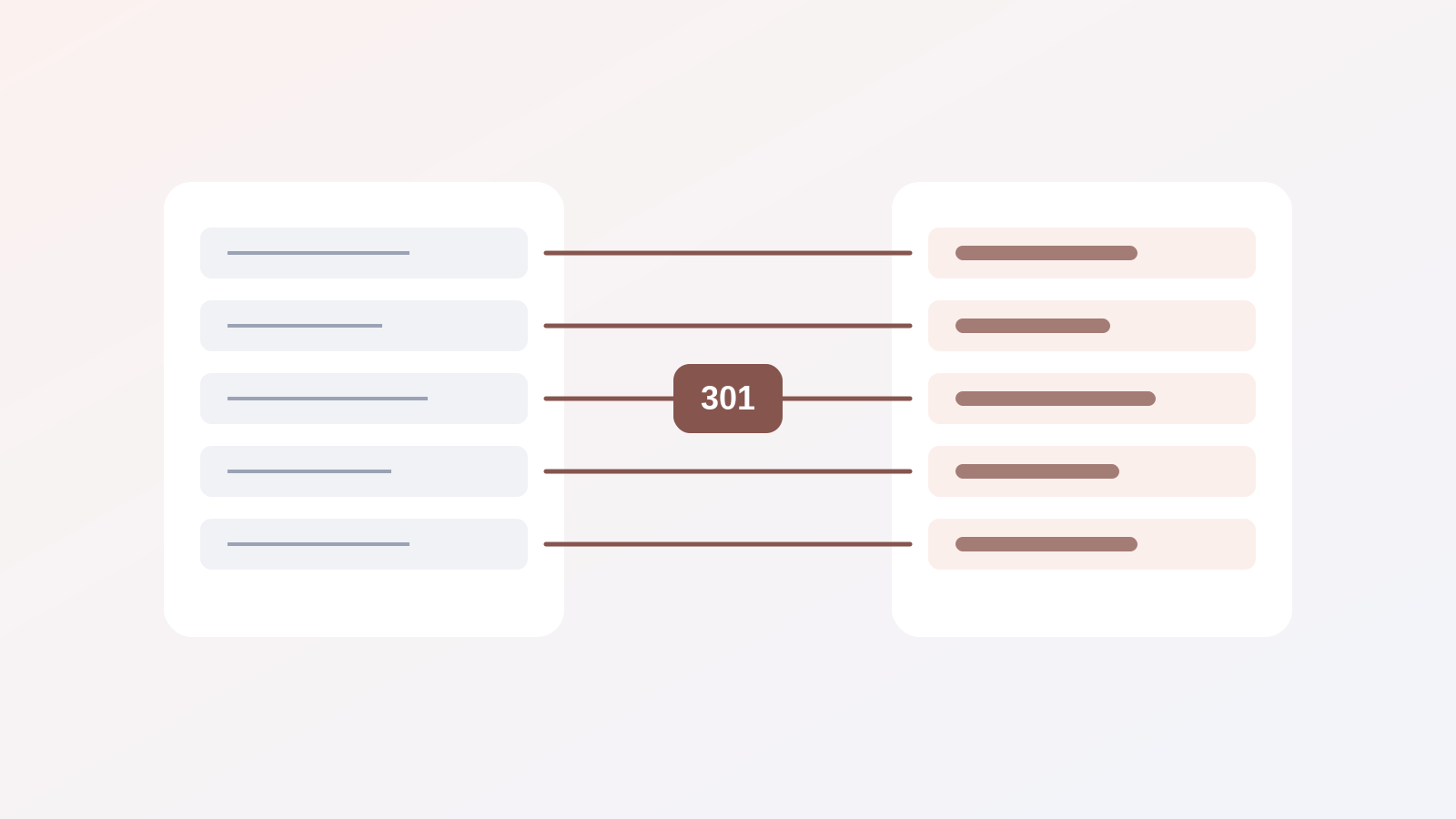
A company decides to renew its website: a new design, a new platform or a new domain. The beautiful new site launches, then search traffic drops over the following weeks. The cause usually isn't the design; it's thousands of old URLs that now lead to "not found" pages. A site migration without losing SEO is possible, as long as you treat old URLs as a valuable asset, not leftovers.
Key takeaways
- 1Every old URL with traffic or external links needs a 301 redirect to the closest new page.
- 2Inventory your URLs before you start, and build the redirect map before launch, not after.
- 3Test on a staging copy blocked from search, then monitor daily after launch.
- 4Temporary fluctuations are normal; a lasting drop signals a fixable mistake.
The redirect map: the heart of a migration
Every important old URL must lead to the closest new page with a permanent 301 redirect. That carries over both the visitor and the signals the old URL built up over the years:
Examples from a redirect map
/services.php?id=3/en/services/website-development/blog/seo-tips-2019/en/blog/technical-seo-checklist/about-us.html/en/about/contact.html/en/contact
Google publishes a detailed official guide to moving a site with URL changes, covering each step from preparation to monitoring indexing after the move.
An illustrative example: a page with no equivalent
Suppose your old site has a page about a service you no longer offer, with links from other sites and a little traffic. The worst option is to let it return a 404. The second-worst is to redirect it to the home page, because Google often treats a redirect to an unrelated page as if the page had been removed. The best option is to redirect it to the closest page on the same topic, such as the service that replaced it or an article explaining the alternative. The rule: every old URL goes to the nearest page that answers the same question.
Types of migration and their risk
| Migration type | What changes | Risk level |
|---|---|---|
| HTTP to HTTPS | Only the protocol | Low if every URL is redirected |
| New design, same URLs | The look and template | Low to medium, depending on content changes |
| New URL structure | Page paths | Medium; needs a complete redirect map |
| New platform | The system, and usually the URLs | Medium to high |
| New domain | The entire address | High; needs the Change of Address tool in Search Console |
1. Before the site migration: inventory and planning
- 1Inventory every current URL
From the sitemap, Search Console, analytics and a crawler.
- 2Identify the most important pages
The most visited, the most linked and the closest to enquiries.
- 3Build the redirect map
A sheet linking each old URL to the closest new one.
- 4Preserve content and elements
Titles, descriptions and structured data must not be lost along the way.
- 5Record a baseline
Traffic, rankings and indexing before the move, to compare afterwards.
2. Testing before launch
Test the new site on a staging copy blocked from search engines, and check that every redirect in the map works and returns a 301 to a page returning 200, without long redirect chains. Make sure canonical tags and the new sitemap point to the new URLs, as explained in our technical SEO guide.
Keep the staging site out of the index
Many migration problems start on the staging site: Google indexes the new site before launch so two copies of the same content appear, or the noindex tag from staging is carried over to the live site and it disappears from results. Protect staging with a password, and on launch day check for yourself that live pages don't carry a noindex tag and that robots.txt doesn't block crawling.
3. After launch: daily monitoring
Watch in Search Console that new pages get indexed and 404 errors don't climb.
Update them to point straight to the new URLs instead of going through redirects.
Submit the new sitemap, as in our robots.txt and sitemap guide.
Weekly traffic and rankings for the most important pages.
What to expect in the first weeks
Traffic fluctuating in the first weeks after a site migration is common even when everything is done correctly, because Google needs time to crawl the new URLs and transfer their signals. What should worry you is a sharp, sustained drop on specific pages. Review the performance report page by page, compare your most important old pages with their new equivalents, and look for missing or incorrect redirects first.
Common site migration mistakes
Changing everything at once. A new domain, design, content and platform all in one go make it impossible to tell what caused any drop. If you can, separate major changes into stages.
Forgetting images and files. Redirects aren't only for pages. Images and PDF files that receive traffic or external links need redirects too.
Redirect chains. A redirect that leads to another redirect and then a third slows visitors down and weakens the signal. Make every old URL redirect directly to its final destination.
Neglecting internal links. Even with redirects in place, links inside the new site should be updated to point straight to the new URLs, not to old ones that get redirected.
Switching off the old hosting too early. If you're changing domains, keep the old domain registered and its redirects running. Letting it expire after a site migration throws away every link that still points to it.
A launch-day checklist in plain words
On launch day, set aside an hour for a calm check before you announce anything. Open twenty old URLs from your redirect map, including your most important pages and a few chosen at random, and confirm that each reaches its correct destination with a single, direct 301. Then check that the new sitemap contains only new URLs and submit it in Search Console. If you're moving to a new domain, use the Change of Address tool in Search Console once you've confirmed the redirects work.
After that, confirm that analytics and tracking codes are running on the new site, and that forms actually deliver enquiries to the right inbox or system. Losing customer enquiries in the first days of a site migration costs far more than any temporary movement in rankings.
Conclusion
Migrating without losing SEO depends on discipline more than luck: a complete URL inventory, a 301 redirect map to the closest page, testing before launch and daily monitoring after. Old URLs are an asset built over years, so don't let them go to waste. If you're planning a site renewal, explore our website development service or SEO and digital marketing service.
Frequently asked questions
Will traffic inevitably drop after a migration?
Temporary fluctuations can happen while Google recrawls and reindexes, but a large, lasting drop usually comes from missing redirects, removed content or avoidable technical issues.
Why a 301 rather than a 302?
A 301 means a permanent move and tells Google to adopt the new URL, while a 302 is temporary. For a permanent move, always use 301.
What is the Change of Address tool?
A Search Console tool used when moving to a new domain, to tell Google about the move after redirects are in place and both domains are verified.
When is the best time to migrate a site?
Pick a quiet period for your business, away from peak seasons and big campaigns, because traffic may fluctuate for weeks after the move. Avoid launching just before a weekend or holiday, so the team is available to fix problems in the first days.
How long should old redirects stay in place?
As long as possible, and at least a year. Old URLs live on in other sites, emails and bookmarks, and removing redirects sends those links back to error pages. Keeping them costs very little compared with what they protect.
Sources & references

I believe technology is useful when it solves a clear problem — not when it's adopted because it's trendy. AI is a powerful tool for speeding up research, writing, analysis and automation, but it needs human expertise to review, guide and verify accuracy. That's why I prefer to start by understanding the business and its goals, then choose the simplest solution that delivers a measurable result, and build audience trust with honest, useful content.
- Reader rating
- 5.0(2)
- Published articles
- 82
- #site migration
- #redirects
- #seo
How would you rate this article?
Be the first to rate
Comments
No comments yet. Share your thoughts!