International SEO and hreflang: Connecting Your Site's Language and Country Versions
If your site has Arabic and English versions, hreflang tags tell Google which version to show each searcher, so English pages don't appear to people searching in Arabic.
You have a site in Arabic and English, yet a searcher in Riyadh sees your English page, or an English searcher sees an Arabic page they can't read. The cause: Google doesn't know the two pages are versions of the same content. International SEO organises your site to serve each language and country, and hreflang tags are how you tell Google: this page has an Arabic version here and an English one there.
Key takeaways
- 1Each language gets its own URL, such as /ar and /en, not content that switches in place.
- 2Every page references its other versions and itself, and references are always reciprocal.
- 3x-default names the default page for searchers matching no version.
- 4Write content for each audience in its own words, not just a literal translation.
International SEO in short: every version knows its siblings
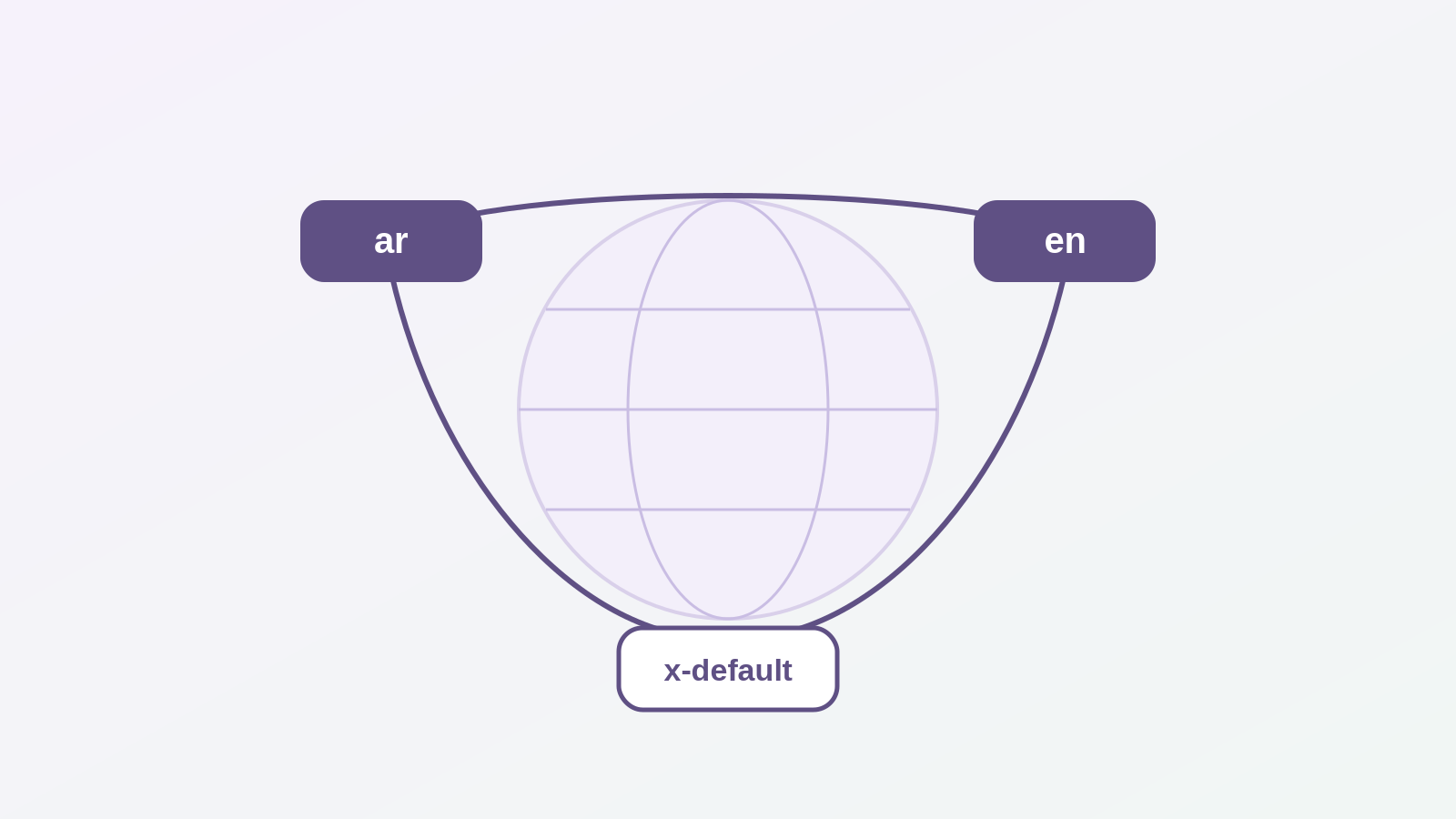
The core idea of hreflang is that every version of a page links to every other version, in both directions, plus a default:
Page versions linked to each other in every direction
- 1ar
The Arabic version: references itself, the English version and x-default
- 2en
The English version: references itself, the Arabic version and x-default
- 3x-default
The default version for searchers whose language matches none of the others
Google explains the official approach on its page about localized versions of your pages, with examples of adding the tags in the page head, in your sitemap or in HTTP headers.
1. Choose a URL structure
| Structure | Example | Notes |
|---|---|---|
| Subfolders | example.com/ar and /en | Easiest to manage, keeping domain strength in one place |
| Subdomains | ar.example.com | Clearer separation but more complex to manage |
| Country domains | example.sa and example.ae | A strong country signal, but the most costly to run |
| URL parameters | ?lang=ar | Not recommended; hard for engines and visitors |
For most companies, subfolders such as /ar and /en are the simplest and strongest option, and it's what we use on this site.
An illustrative example: a company site in Arabic and English
Imagine a company serving customers in Saudi Arabia and the UAE in Arabic, and international customers in English. The simplest structure is folders on the same domain: /ar/ for Arabic and /en/ for English. Every Arabic page points to itself and its English equivalent, and vice versa, with an x-default pointing to the version you want to show people for whom neither language fits.
You only need a separate version per country if the content genuinely differs, such as different prices, services or payment methods between Saudi Arabia and the UAE. Two identical versions for two countries add no value and double the maintenance work.
2. Write the tags correctly
- 1Set the language value
A language code such as ar or en, with a country code when needed, such as ar-SA.
- 2Add a self-reference
Each page lists itself among the versions.
- 3Make references reciprocal
If Arabic points to English, English must point back.
- 4Add x-default
For the default page, such as a language selector or the main version.
- 5Choose one method
Tags in the page head, in the sitemap or in HTTP headers.
Language and country codes
The language is written as a two-letter ISO 639-1 code, such as ar or en. The country is optional and follows as an ISO 3166-1 code, such as ar-SA for Arabic in Saudi Arabia. Common mistakes are writing the country code on its own or using an invalid code such as en-UK instead of en-GB. An incorrect tag is silently ignored, so you won't know it isn't working until you check.
3. Common mistakes that break hreflang
One version points to another that doesn't point back.
A country code in place of a language code, or an invalid format.
References to redirected, missing or noindexed pages.
A canonical tag pointing to another language version instead of the page itself.
And one last mistake that has nothing to do with code:
4. Test and monitor
Check the tags in the page source or with a crawler, and make sure every URL returns 200 and references are reciprocal. Monitor each version's performance by country and language in Search Console. Designing the Arabic version is covered in our Arabic and RTL guide.
In Search Console, monitor each version separately by filtering the report by folder or country. If English pages appear for Arabic searchers in an Arab country, check the return tags between the two versions first, then make sure the Arabic content is complete rather than a shortened version.
International SEO is more than tags
Tags tell Google which version to show, but they don't make that version convincing to the reader. Each market searches in its own way, with its own phrases, questions and expectations about prices and contact. Research keywords in each language separately rather than translating your keyword list word for word; the phrase an Arabic-speaking customer searches for may be completely different from a translation of the English one.
Get the local details right too: currency, date format, phone numbers with the country code, opening hours in local time and the payment methods people in that market recognise. These small details are what make visitors feel the site was written for them, not translated from somewhere else.
Finally, update versions together. When you add a service or change a price in one language, update the other at the same time. Versions that drift apart confuse visitors and make the links between them less useful. Good international SEO is as much about keeping every version complete and current as it is about the markup.
Where to start if your site already exists
If you have a two-language site without hreflang tags, you don't need a big project. Start with your twenty most important pages, make sure each Arabic page has a genuine English equivalent, then add return tags for those pages and check them. Once you've seen them working correctly, roll them out to the rest of the site, ideally generated automatically by your content management system so you don't depend on adding them by hand for every new page.
Conclusion
International SEO makes every searcher see the right version: a separate URL per language, reciprocal hreflang tags with self-references and x-default, content written for each audience in its own words and regular testing. It's part of the technical SEO of any bilingual site. If you'd like your multilingual site set up correctly, explore our SEO and digital marketing service.
Frequently asked questions
What is the hreflang tag?
A signal telling Google a page has versions in other languages or for other countries, with each version's URL, so searchers see the version suited to their language or country.
What is x-default?
A value naming the default page for searchers whose language or country matches none of the versions, such as a language selector or the main version.
Must every version point to the others?
Yes. References must be reciprocal, and each page must also reference itself; otherwise Google may ignore the tags.
Should the site automatically redirect visitors to their language?
It's better not to redirect visitors automatically based on location or browser language, because that can stop them, and Google's crawler, from reaching other versions. Show the version they requested, with a clear banner suggesting the version that may suit them and leaving the choice to them.
Is machine translation enough for a new language version?
Machine translation is a useful start, but not enough on its own for important pages. Have a native speaker review it, and adapt examples, currencies, units and contact options to the target market. A page that reads as a literal translation weakens trust even when it ranks.
Sources & references

I believe technology is useful when it solves a clear problem — not when it's adopted because it's trendy. AI is a powerful tool for speeding up research, writing, analysis and automation, but it needs human expertise to review, guide and verify accuracy. That's why I prefer to start by understanding the business and its goals, then choose the simplest solution that delivers a measurable result, and build audience trust with honest, useful content.
- Reader rating
- 5.0(2)
- Published articles
- 81
- #international seo
- #hreflang
- #multilingual
How would you rate this article?
Be the first to rate
Comments
No comments yet. Share your thoughts!