CRM Automation for Sales: Never Lose a Deal Between Emails and Spreadsheets
Most lost deals aren't lost on price; they're lost because someone forgot to follow up. An automated CRM remembers on your team's behalf.
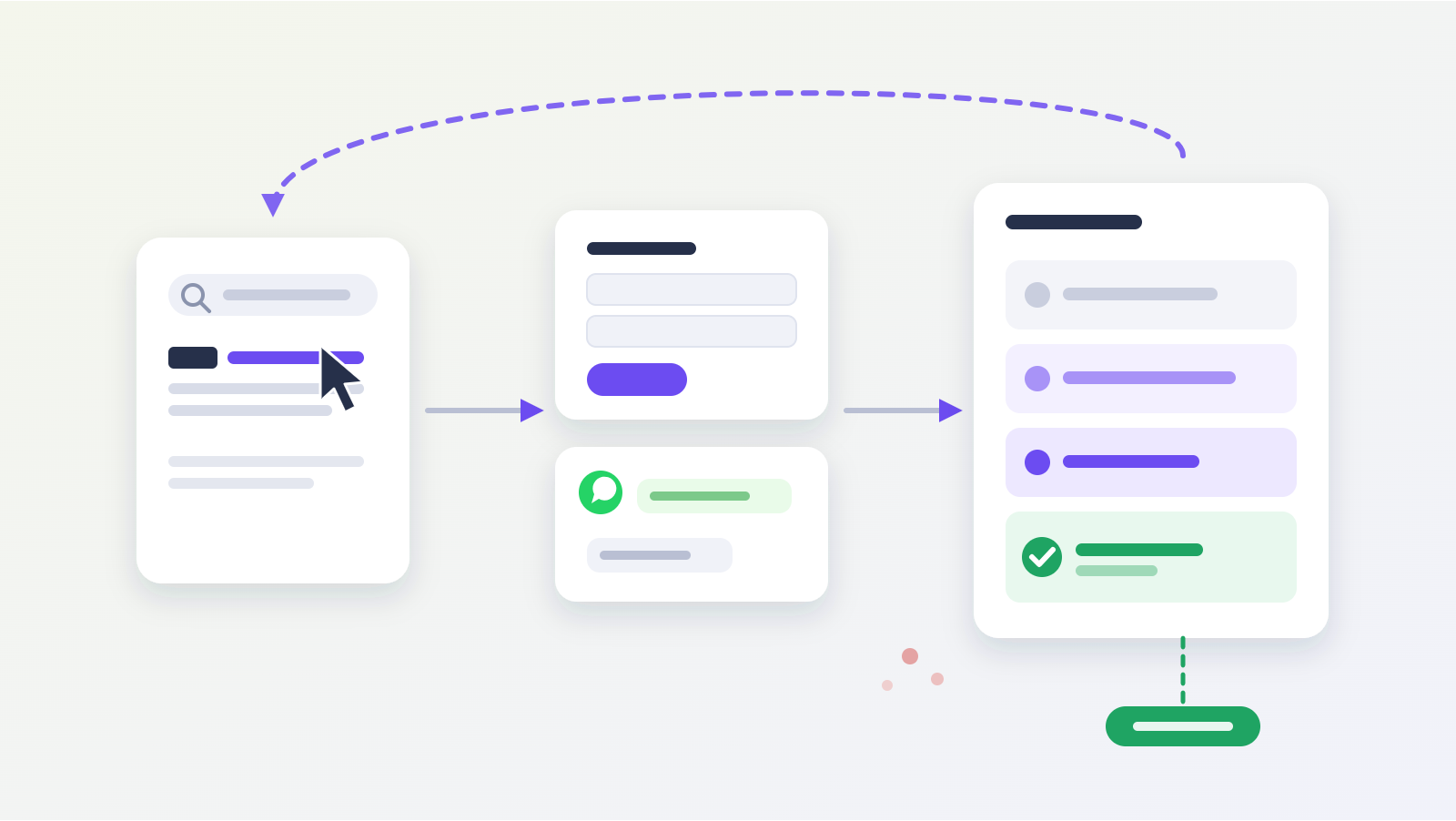
A quote request arrives through the website, another through WhatsApp and a third in a colleague's inbox. Two weeks later an annoyed customer calls: "Nobody got back to me." Most lost deals aren't lost on price; they're lost to a forgotten follow-up. CRM automation gathers every opportunity in one place, remembers follow-ups for your team and moves deals clearly from stage to stage.
Key takeaways
- 1A CRM gathers every opportunity and conversation in one place instead of scattered sheets.
- 2Define clear deal stages, and give each stage an automatic action.
- 3The most important automation: a follow-up reminder so no opportunity is forgotten.
- 4Clean data is a precondition for every automation and trustworthy report.
The deal board: where does each opportunity stand?
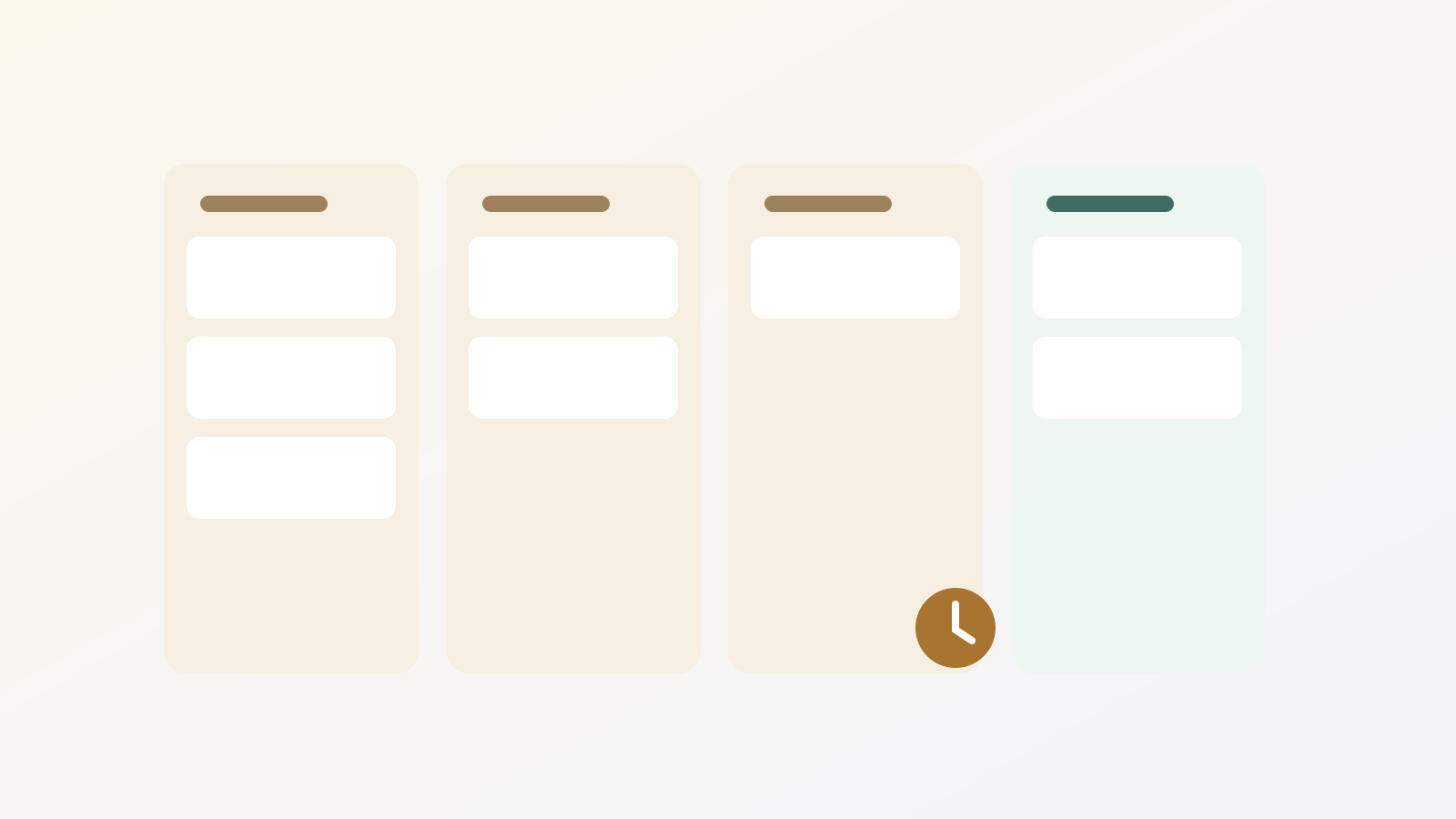
At the heart of a CRM is a board showing every deal in its stage. One glance tells you where opportunities pile up and where they stall:
Deal stages from enquiry to contract
New enquiry
- Online store for a restaurant
- Website for a dental clinic
- Refresh for a contracting firm's site
Contacted
- Booking system for a training centre
- Office supplies store
Proposal sent
- Bilingual site for a law firm
- Order automation for a factory
Negotiation
- E-learning platform
Won
- Consulting firm website
1. Define clear deal stages
Stages should reflect what actually happens with the customer, not what looks neat in the system. Each stage needs a clear entry criterion everyone knows, so a deal doesn't move to "proposal sent" before the proposal is actually sent.
For a detailed explanation of what customer relationship management systems are and what they include, see Salesforce's page What is CRM?, useful for understanding the terminology before you choose a system.
Give every stage a clear entry condition
Stages lose their meaning when each salesperson moves deals whenever they like. Write one clear condition for each stage: a deal enters "Contacted" when there's been a real conversation with the customer, not just a message; it enters "Proposal sent" when a written quote has gone out; and it enters "Negotiation" when the customer replies to the proposal with comments. With these conditions, the number of deals at each stage becomes a figure you can trust.
2. CRM automation: the rules that make the difference
- 1Automatic capture from the website
Every form becomes a lead in the system, with its source from UTM links.
- 2Assignment to the team
By service, region or round-robin, with an instant alert to the owner.
- 3Follow-up reminders
An automatic task if a lead isn't contacted within the set time.
- 4Tasks on stage changes
Sending a proposal creates a follow-up reminder a few days later.
- 5Stalled-deal alerts
Deals that haven't moved in a while appear on a weekly review list.
An illustrative example: a deal that doesn't slip
An enquiry arrives from the website form, so a customer record is created automatically and assigned to the salesperson on duty. They get an instant alert, with a task to "call within two hours". After the call they move the deal to "Contacted". When they send the proposal, they move it to "Proposal sent", and the system sets a reminder for three days later. If nothing happens on the deal for a week, the sales manager is alerted. Nothing in this chain depends on anyone's memory, and that's exactly how CRM automation protects deals from being forgotten.
3. Data hygiene: the precondition for automation
Only the essentials: name, contact method, service and source.
Clear responsibility stops everyone assuming someone else will follow up.
Merge duplicate records automatically before they conflict.
Close dead deals with a clear reason instead of letting them pile up.
And before any automation, remember:
Simple rules for data entry
Agree on one format for phone numbers, including the country code, and make the core fields mandatory: name, contact method, source of the enquiry and service requested. Turn on duplicate detection before a new record is created. These rules take minutes to set up and save hours of cleaning later.
Set aside fifteen minutes each week to review new records: merge duplicates, fill in missing fields and update the status of stalled deals. Clean data is what makes reminders and reports accurate; without it, CRM automation simply acts faster on the wrong information.
4. Measure sales performance
| Metric | What it tells you |
|---|---|
| Time to first response | How quickly new enquiries are contacted |
| Stage-to-stage conversion | Where deals stall most |
| Average deal length | How long an opportunity takes to close |
| Sources of won deals | Which channel brings the best customers |
Don't stop at overall figures. Compare win rates by lead source: you may find website enquiries close at a higher rate than ad leads, or that WhatsApp enquiries take longer. These comparisons point your marketing budget and your team's time towards where the results are.
A monthly review that takes half an hour
Once a month, look at three things together: how many new opportunities came in and from where, how many deals moved forward or stalled at each stage, and the reasons recorded for lost deals. Pick one bottleneck to improve next month, such as slow first responses or proposals that go unanswered, and adjust your CRM automation rules to address it.
Common CRM automation mistakes
Automating messages until they lose the human touch. A long chain of automated emails feels to customers like nobody wrote them. Use automation for reminders and organisation, and leave real conversations to a real person.
Too many stages. Twelve stages confuse the team and make moving deals a chore. Five or six clear stages are enough for most small businesses.
No reason for losses. When a lost deal is closed without recording why, the most valuable information in the system disappears. Make choosing a loss reason mandatory: price, timing, a competitor or no response.
Importing old data as it is. Bringing in years of messy spreadsheets fills the new CRM with duplicates and errors from day one. Clean the data before importing it, or start with active customers only.
Setting rules and never revisiting them. A reminder that made sense at launch may become noise six months later. Review your automations quarterly and switch off any the team has learned to ignore.
Conclusion
CRM automation stops opportunities slipping away: one place for every deal, clear stages, automatic follow-up reminders, tasks at every transition, clean data and metrics that reveal where sales stall. To connect your apps together, read our no-code automation guide, or explore our business automation service.
Frequently asked questions
What is a CRM?
A system that gathers customer data, communications and deal stages in one place instead of scattered emails and spreadsheets, and lets you automate follow-ups and tasks.
What's the first automation to set up?
Automatically adding leads from the website form with a follow-up reminder within a set time, because it stops new enquiries slipping through.
How do I keep the data clean?
A few clear mandatory fields, automatic duplicate prevention, regular review of stalled deals and one owner per deal.
Does a team of two or three people need a CRM?
If enquiries arrive through more than one channel, or deals take more than a single call, then usually yes. A simple system on a free or low-cost plan is enough; what matters is having one place where everyone can see every opportunity and the latest thing that happened with it.
How do I get the sales team to actually use the CRM?
Make it save them work rather than add it: automatic reminders instead of paper notes, ready message templates and enquiries from the website entered automatically. Once a salesperson sees the CRM remind them of a deal that would otherwise have slipped, it becomes their tool rather than a burden.
Sources & references

I believe technology is useful when it solves a clear problem — not when it's adopted because it's trendy. AI is a powerful tool for speeding up research, writing, analysis and automation, but it needs human expertise to review, guide and verify accuracy. That's why I prefer to start by understanding the business and its goals, then choose the simplest solution that delivers a measurable result, and build audience trust with honest, useful content.
- Reader rating
- 5.0(2)
- Published articles
- 81
- #crm
- #sales
- #automation
How would you rate this article?
Be the first to rate
Comments
No comments yet. Share your thoughts!