Your Ads Are Buying Form Fills, Not Customers: Connecting Your Lead Form, WhatsApp and CRM to Google Ads
When a form submission is all a campaign measures, it looks for more form fills, not more customers. This guide shows how to connect CRM sales stages to Google Ads, how to keep the source of leads that arrive through WhatsApp, and how to test the data before you rely on it for budget decisions.
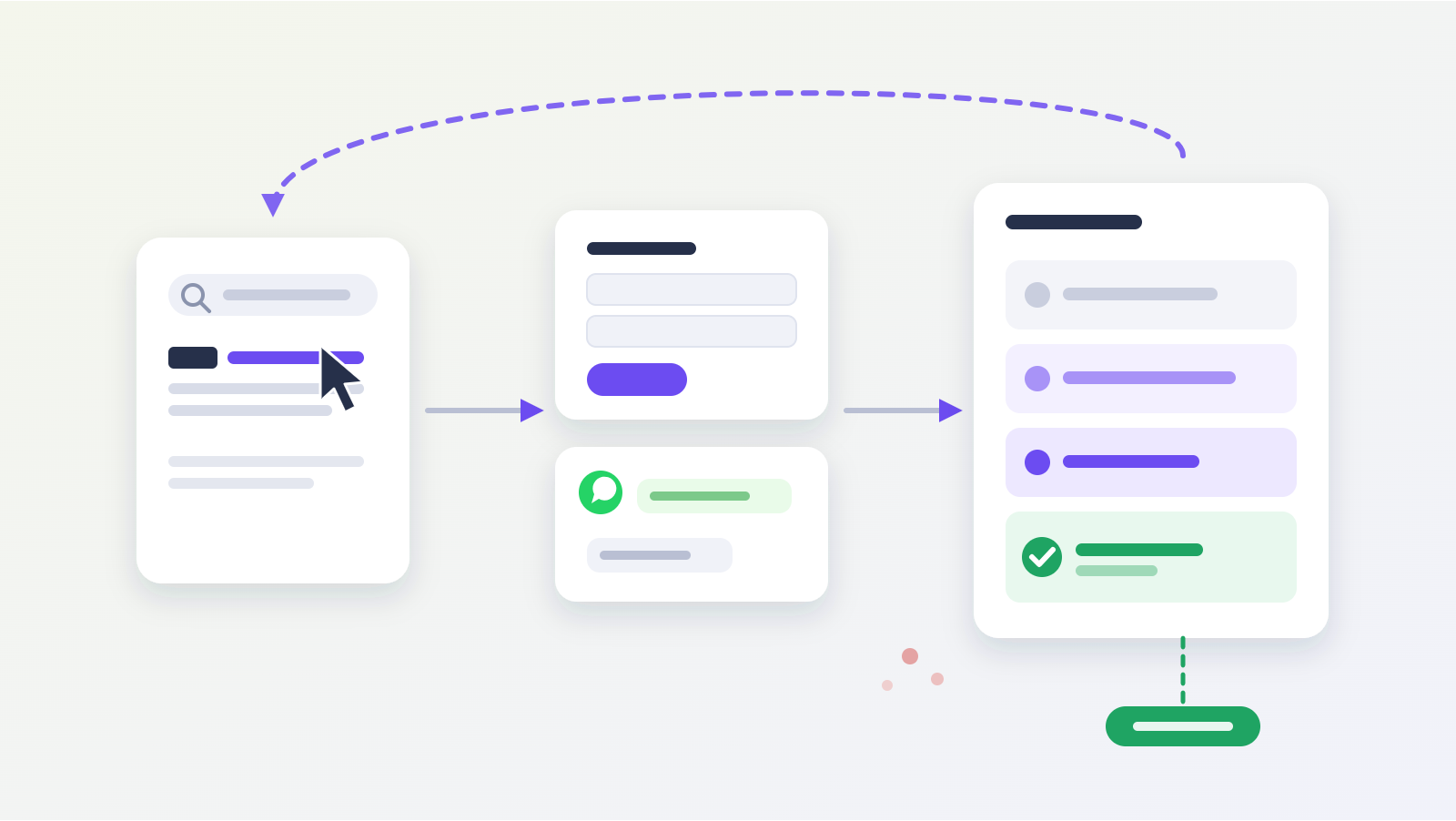
On Sunday morning, the marketing manager opens the campaign report: conversion costs have dropped, and the number of conversions has increased. Then, they sit down with the sales team to review the actual leads, only to find incorrect numbers, people asking for a job, competitors gathering pricing information, and inquiries that no one has responded to. The campaign numbers improved, but sales remained unchanged.
The flaw here is not in the ad or the keywords, but in what the campaign is measuring. If all you know is that a form was submitted, you will look for more people who submit forms, and that is exactly what you asked the system to do.
In this guide, we explain how to feed Google Ads with what happens after the form submission, inside your Customer Relationship Management (CRM) system or even in an organized tracking spreadsheet, so the campaign learns from closed deals, not just form submissions.
Summary in Points
- Smart bidding strategies optimize toward the conversion action you choose as a goal, so choose it carefully.
- Save the Google Click Identifier (GCLID) along with the mobile number or email for every lead upon receipt.
- Define clear stages in your CRM, and send to Google only the stages that reveal lead quality or value, not every single lead.
- If a large portion of your leads comes via WhatsApp, decide in advance how you will track their source.
- Test for duplication and consent settings, and compare Google Ads numbers with sales records before changing the campaign goal.
What Does the Conversion Count Actually Tell You?
Strategies like "Maximize Conversions" or "Target CPA" (Cost Per Acquisition) estimate in every auction the likelihood that a person will complete the action you chose, and adjust the bid accordingly. They do not know what happens afterward. If the action is "submit form," the ideal person in its eyes is someone who fills out forms easily, not necessarily someone who signs a contract.
For this reason, a very short form might increase the number of leads while simultaneously burdening the sales team with sorting through them. The report looks better every week, while unproductive calls pile up. The solution is not just lengthening the form, but telling the campaign later: this lead was sent a quote, that one ended in a contract, and the third was not a real client at all.
Example: The Journey of a Single Lead from Click to Contract
Let’s take a hypothetical example of a villa finishing company in Riyadh targeting the search term "villa finishing company":
- A potential customer searches and clicks the ad, adding the click identifier
gclidto the landing page URL. - They fill out the "Request a Preview" form with their name, mobile number, neighborhood, and project type.
- The lead arrives in the CRM along with the click identifier and phone number.
- Two days later, the sales representative calls and confirms the project is within the company's service scope, moving the lead to the "Qualified" stage.
- Three weeks after the click, a quote is sent, and the contract is signed six weeks after the click.
This is what the record of this same lead looks like when the integration is complete:
| When? | What Happened? | What Reaches Google Ads? | Does the Campaign Use It for Bidding? |
|---|---|---|---|
| Day of click | Form submitted | "New Lead" action from the website tag, with hashed contact data | No, secondary action for tracking |
| Two days later | Representative confirmed lead seriousness | Import of "Qualified Lead" action | Yes, primary campaign goal |
| Six weeks later | Contract signed | Import of "Closed Deal" action with contract value and currency | Used later with a value-based strategy |
Without integration, the campaign only sees the first row. With integration, it knows which clicks resulted in actual customers and starts looking for more like them.
Step 1: Define Lead Stages with the Sales Team
Before setting up any tag, agree with the sales team on stage names and their definitions. Here is an example that suits many service companies:
| Stage | Definition | Do We Send It to Google? |
|---|---|---|
| New Lead | Lead arrived via form or WhatsApp | Yes, as a secondary tracking action |
| Qualified | We contacted them, the request is real and matches our services | Yes, as a primary action |
| Quote Sent | An official quote was sent | Optional |
| Closed Deal | Contract signed or payment received | Yes, with the value |
| Not a Fit | Wrong number, job seeker, or competitor | No |
Important Rule: Do not make a stage that takes months to reach your campaign goal if your deal volume is low, as the campaign needs enough signals to learn. Many companies start with the "Qualified" stage as a primary goal, then add "Closed Deal" with its value when the number of deals increases.
Step 2: Save Tracking Data at the Moment of Form Submission
Most integration projects fail because the information wasn't saved initially, not because sending it to Google is difficult. Ensure three things:
- Enable auto-tagging in your Google Ads account so the
gclidappears in the landing page URL. - A hidden field in the form captures the click identifier and saves it exactly as is, because the identifier is case-sensitive. It is also preferred to save it in a cookie, as the visitor might navigate between pages before submitting.
- Save the mobile number or email in a standardized format. The number should be in international format, such as
+9665XXXXXXXXin Saudi Arabia or+9715XXXXXXXXin the UAE, not05XXXXXXXX, because subsequent matching relies on data matching before hashing.
If you are using UTM links, save their values in the same hidden fields. You will then know which campaign generated each contract, even in internal sales reports unrelated to Google.
Step 3: How to Track the Source of WhatsApp Leads?
In Saudi Arabia and the UAE, many customers prefer communicating via WhatsApp instead of filling out a form. The problem is that the conversation starts outside your website, so the click identifier is lost, and the sales team might not know which ad this customer came from.
There is no perfect solution, but there are three practical methods:
- A pre-filled message with a short code. A WhatsApp button opens a message like "Hello, I want a preview (Code: R7K2)", and the code is saved on your website with the
gclidat the moment of the click. When the code arrives in the chat, the employee links it to the lead in the CRM. - One or two questions before opening WhatsApp. A small form requesting the name and mobile number, which then opens the chat. Some visitors might drop off, but every lead passing through here becomes trackable.
- Manual source logging inside the CRM. A simple option for small teams; its accuracy depends on the employee, provided the source field is mandatory, not optional.
Before relying on the first method, test the three scenarios you will actually face:
| What Happened | What Does the Employee Record? |
|---|---|
| Code arrived in the chat | Links the chat to the lead saved with the same code |
| Customer deleted the code before sending | Matches the mobile number with recent clicks if possible; otherwise, records the source as "Ad, no code" |
| Clicked the button but sent nothing | No lead is recorded, as a click alone is not a lead |
Always add an option named "Unknown Source", as it is more truthful than a guess that corrupts reports. Do not make "clicking the WhatsApp button" a campaign goal, as it measures clicks, not genuine intent.
Step 4: Send Important Stages to Google
This is where Enhanced Conversions for Leads comes into play. When the form is submitted, the Google tag captures contact data and sends it after hashing. When the lead becomes qualified or the deal is closed, you import a new conversion action carrying the time it occurred, the same hashed contact data, and the click identifier if available, thus attributing the result to the ad upon successful matching.
- Hashing, not encryption: Data is converted using the SHA-256 algorithm into a one-way value before being sent, so it does not reach Google as readable text. The tag can handle hashing automatically.
- Import method: Import can be done via a file or through a direct connector with some CRM systems from the data management tool within Google Ads. As for the new programmatic integration, Google migrated it starting June 15, 2026, to the Data Manager API instead of the Google Ads API. If your developer is building the integration now, they should build it directly on the new interface.
- Time limit: Conversions imported via Enhanced Conversions for Leads are not accepted if uploaded more than 63 days after the last associated click, and the limit is 90 days in traditional import via click identifier. Therefore, daily import is preferred, not every few weeks.
- Value: Send the contract value and its currency with the "Closed Deal" action. A campaign that knows one contract is larger than another will behave completely differently than a campaign that treats all leads as equal, especially when later transitioning to a value-based strategy.
Step 5: Test Tracking Before Changing the Campaign Goal
The report might look fine despite some leads being duplicated or missing, and this is more dangerous than missing data entirely. Before changing the campaign goal or strategy, review the following:
- Duplication: A multi-step form, or a submit button clicked twice, might register the lead twice. Give each lead a unique transaction ID, and reuse the same ID if the event is sent again, so it is counted only once.
- Cookie consent: If your website displays a consent banner, ensure that Consent Mode actually passes the visitor's choice, especially the
ad_storageandad_user_datasignals, and that a visitor's refusal does not prevent them from submitting the form itself. - Diagnostics report: In Google Ads, under "Goals" > "Summary" > "Diagnostics", you can find the status of the enhanced conversions setup and alerts. Review it after launch, and check the results of the first imported batch.
- Monthly review: Place three numbers side by side every month: leads in the CRM, qualified leads, and what Google Ads records for the same stage and period. A difference between the systems is normal, as the CRM includes other sources, but a sudden difference means something has stopped working.
Checklist Before Changing the Campaign Goal:
- Sent a test form with cookie acceptance, and another with rejection, and both reached the CRM.
- Submitted the same form twice, and it was recorded only once.
- The first imported qualified lead reached the conversions report in Google Ads.
- The source field is mandatory in the CRM, and the sales team knows that stage names must not be changed without coordination.
Common Mistakes in Lead Tracking
- Considering a "Thank You" page view as a conversion, then discovering the page is reloaded when refreshed or its link is shared.
- Changing the campaign goal and then changing the budget and ads in the same week, making it impossible to know the cause of improvement or decline.
- Leaving the "Source" field optional in the CRM, leaving a large percentage of leads without a source.
- Importing stages to Google without informing the sales team, so they change the names after a month, and the import silently stops if it relies on the name.
Where to Start If Your Lead Volume Is Low?
If you only get a few leads per month, the campaign won't find enough signals to learn from, and accurate form tracking with a weekly review of lead quality might be enough for now. Start with only the first two steps. Saving the click identifier and source from day one means your data will be ready when lead volume increases, keeping the import time limit in mind.
Conclusion
Google Ads does not know the difference between a serious lead and a casual one unless you tell it. When you feed it with what happens after the form submission—from qualification and quotes to contracts—and choose the right stage as a campaign goal, you stop buying forms and start acquiring customers. Define the stages with the sales team, save the click identifier with every lead, decide how to track WhatsApp lead sources, and then test data delivery before relying on it. For a worked example of tying campaigns to sales stages, see Google Ads management with conversion tracking at WMK Technologies.
Frequently asked questions
Do I Need an Expensive CRM System to Implement This?
No. What matters is that each lead is stored along with its click ID, contact method, and lead status. You can start with a well-organized tracking spreadsheet and move to a CRM system as your lead volume grows.
What is the difference between enhanced conversions for leads and standard offline conversion import?
Standard import relies on the click ID (GCLID). Enhanced conversions for leads adds hashed contact data such as email or phone, which improves matching even when the click ID is missing. Google recommends including the click ID when available.
Can I track customers who come through WhatsApp?
Partly. The most practical options are a pre-filled message carrying a code saved with the click ID, or a short form before the chat opens. No method tracks every conversation, so keep an 'unknown source' option.
How long should I wait before judging results after changing the campaign goal?
Give the campaign one or two conversion cycles to adapt, avoid changing budget or ads in the same period, then compare lead quality in the CRM, not just lead counts.
Sources & references
- Google Ads Help: About enhanced conversions for leads
- Google Ads Help: Configure the Google tag for enhanced conversions for leads
- Google Ads Help: Guidelines for importing offline conversions
- Google Ads Help: Set up offline conversions using GCLID
- Google Ads Help: Enhanced conversions for leads diagnostics report
- Google Ads Help: Use a transaction ID to minimize duplicate conversions
- Google Ads Help: Primary and secondary conversion actions
- Google Ads Help: About consent mode

Mohamed Kadi is the founder of WMK Technologies in Marrakech. His team builds websites, landing pages and multi-step lead forms, sets up Google Ads conversion tracking (Google Tag Manager, GA4, server-side tagging, enhanced conversions) and develops custom CRMs connected to WhatsApp.
- Reader rating
- 5.0(1)
- Published articles
- 2
- #إعلانات جوجل
- #تتبع التحويلات
- #CRM
- #واتساب
- #العملاء المحتملون
How would you rate this article?
5.0 / 5 · 1 rating
Comments
No comments yet. Share your thoughts!