AI Tools for Marketers: What Saves Real Time and How to Use It Safely
AI tools don't create a marketing strategy, but they cut hours of repetitive work. The secret is knowing where they fit in your workflow.
Marketers spend much of their day on repetitive tasks: drafting ten headlines for an ad, summarising a report, writing a post draft, preparing an image in different sizes. AI tools for marketers don't create the strategy or know your customers as you do, but they cut these tasks down to minutes, freeing you for thinking, relationships and decisions.
Key takeaways
- 1Tools shorten repetitive execution; strategy and customer knowledge stay with the marketer.
- 2Give each tool a specific role in your workflow instead of trying every new one.
- 3Review every output before publishing: facts, tone and fit for your audience.
- 4Google rewards helpful content however it's made, and penalises volume without value.
Where AI tools for marketers help most
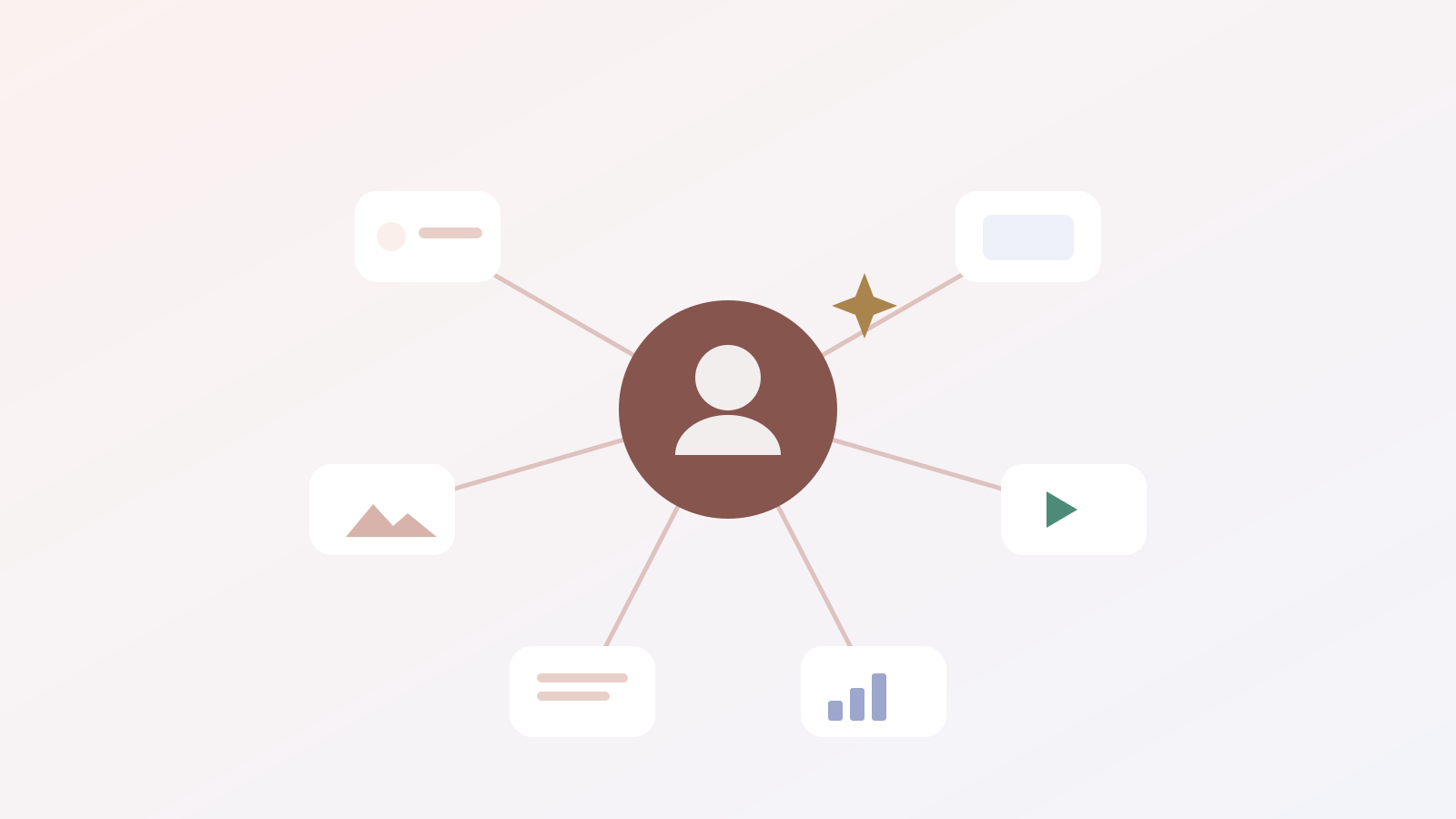
Instead of hunting for "the best tool", look at your weekly tasks and ask which are repetitive and time-consuming. This is a map of the tasks tools typically help with, around the marketer who stays in charge:
The marketer at the centre, tools around them
1. Drafts and ideas
General chat assistants are the most used tools: content ideas, first drafts, rewriting for different channels and alternative headlines. Meet the best known in our ChatGPT for business guide and Claude guide, and try the AI Content Assistant. Result quality depends on the prompt itself, as in our prompt writing guide.
An illustrative example: ten headlines in two minutes
Say you're preparing an ad for a design training course. Instead of writing the headlines alone, ask the tool for ten short headlines, each from a different angle: saving time, moving into a new job, starting without prior experience, and so on. You'll usually find six are ordinary, two need editing and two are worth testing. The tool didn't give you the final ad, but it gave you a wider starting point than you'd have written alone in the same time.
The key is to give it what only you know: who the audience is, what worries them and what genuinely sets the course apart. Without that, you'll get headlines that fit any course anywhere.
2. Design and media
Smart design tools resize designs and suggest alternatives quickly, as in our Canva AI guide.
Useful for ideas and backgrounds, with attention to usage rights. See our Midjourney guide.
Clear voices for explainer clips, as in our ElevenLabs guide.
Keep your brand identity in generated images
Generated images are fast, but they can drift from your brand's colours and style without you noticing. Write a fixed description of your visual style and use it in every request: your core colours, the kind of lighting and whether you prefer simple illustrations or realistic photos. Avoid generating images of real people, products you don't own, or pictures a customer might take for actual photos of your premises or team, because trust suffers when they spot the difference.
3. A workflow that protects quality
The risk isn't using the tools; it's publishing their output as is. Here's a simple workflow that combines speed and quality:
- 1Start with a clear brief
Goal, audience and key message, from your strategy, not the tool.
- 2Generate drafts and alternatives
Ask for several versions to choose from, not one you accept as is.
- 3Edit with a human touch
Add expertise, real examples and the brand's voice.
- 4Check facts and rights
Numbers, names and promises, plus image usage rights.
- 5Publish and measure
What worked? Save the prompt that produced it in the team library.
Who reviews what?
Decide before you start who reviews each type of content. Daily social posts may only need a quick check by the marketer who wrote them, while paid ads, articles and customer emails need a second pair of eyes to verify figures, promises and brand tone. This simple rule prevents the most embarrassing mistakes: an outdated price, a feature that doesn't exist or a phrase that sounds nothing like the way you talk to customers. AI tools for marketers are only as good as the review step that follows them.
4. What does Google say about AI-generated content?
Google states in its guidance that it rewards high-quality, helpful content however it's produced. But its spam policies penalise mass-producing low-value pages to manipulate rankings, whether a person or a machine makes them:
Use that raises quality
- A draft edited by an expert who adds their experience
- Real examples from your work and customers
- Content that answers a question in depth
Use that harms your site
- Dozens of similar articles with no review
- Unverified information
- Pages written for the engine, not the reader
To go deeper on quality standards, read our E-E-A-T content quality guide.
You can read Google's full position in its official post on Google Search and AI-generated content on the Google Search Central blog. In short, Google evaluates how helpful and high-quality content is, not how it was produced.
Common mistakes with AI tools for marketers
Publishing at volume without adding value. Twenty similar articles a month don't build an audience, and they can weaken readers' and search engines' trust in your whole site. One article with genuine experience is worth more than ten generic ones.
Losing the brand voice. When everyone on the team writes with a different tool and different prompts, your content ends up with many voices. Write a short brand-tone guide and put it at the start of every prompt.
Entering customer data. Customer lists, phone numbers and order details don't belong in a general-purpose tool whose data policy you don't know. Use aggregated or anonymised data when you need analysis.
Measuring output instead of results. The number of posts a tool produced isn't a metric. Measure what matters, such as visits, enquiries and genuine engagement, and compare them with the period before you started using the tools.
Skipping the basics of strategy. No tool tells you which customers to target or what makes your offer different. Settle those questions first; AI tools for marketers then help you execute faster, not decide for you.
A one-month pilot plan
Week one: pick one repetitive task, such as writing ad copy, and measure the time it takes today and the number of edits it needs.
Week two: write your voice guide and a fixed prompt template, then try it on five real tasks, reviewing every result.
Week three: run the best variations in a live campaign and, where possible, test them against hand-written copy.
Week four: compare time, quality and performance. If the numbers improve, extend the approach to a second task; if they don't, adjust the method or stop.
This turns enthusiasm into a data-based decision, teaches the team the right technique before scaling up and keeps the risk confined to a single task that's easy to monitor. It also gives you concrete before-and-after numbers to share with leadership when you ask for budget to expand.
Conclusion
AI tools shorten repetitive marketing execution: research, drafts, design, media and reports. Give each tool a clear role, stick to a workflow that reviews every output and let real expertise be what sets your content apart. If you'd like AI solutions built around your business, explore our AI solutions service.
Frequently asked questions
Does Google penalise AI-written content?
Google says it rewards helpful content however it's produced, but mass-producing low-value pages to manipulate rankings breaks its spam policies.
Which tool should a marketer start with?
A general chat assistant for drafts, ideas and summaries, since it covers the most repetitive tasks. Add specialist tools for design or voice once the workflow is steady.
How do I keep my brand voice with AI tools?
Write a short style guide with examples of your best content, include it in every prompt and review every output before publishing.
Does AI replace a copywriter or designer?
No. It speeds up first drafts and repetitive tasks, but it doesn't know your customers, has none of your experience and takes no responsibility for what gets published. The best results come when a writer or designer uses it to work faster, then adds their own expertise and judgement.
How do I know the tools actually saved time?
For two weeks, record how long a recurring task takes, such as preparing the week's posts, before and after using the tool, including review and editing time. Sometimes a tool saves writing time but adds correction time, and only the numbers tell you the real difference.
Sources & references

I believe technology is useful when it solves a clear problem — not when it's adopted because it's trendy. AI is a powerful tool for speeding up research, writing, analysis and automation, but it needs human expertise to review, guide and verify accuracy. That's why I prefer to start by understanding the business and its goals, then choose the simplest solution that delivers a measurable result, and build audience trust with honest, useful content.
- Reader rating
- 5.0(3)
- Published articles
- 82
- #ai
- #marketing
- #tools
How would you rate this article?
Be the first to rate
Comments
No comments yet. Share your thoughts!