How to Improve Your Typing Speed: Touch Typing in Arabic and English
Improving typing speed is one of the easiest productivity wins, because it improves with short, regular practice. The secret is accuracy first, then speed.
Most of us type for hours every day: messages, reports, chats and posts. Yet few people ever learned to type properly, so they peck with two fingers while watching the keyboard. Improving typing speed is one of the easiest productivity wins, because it improves with short, regular practice. Start by measuring your current level in the typing speed test, in English or Arabic.
Key takeaways
- 1Touch typing means typing without looking at the keyboard, with each finger responsible for specific keys.
- 2Everything starts from the home row, returning to it after each key.
- 3Accuracy first: speed follows accuracy, but never the other way round.
- 4A short daily session beats long, irregular ones.
Typing speed starts at the home row: every finger's starting point
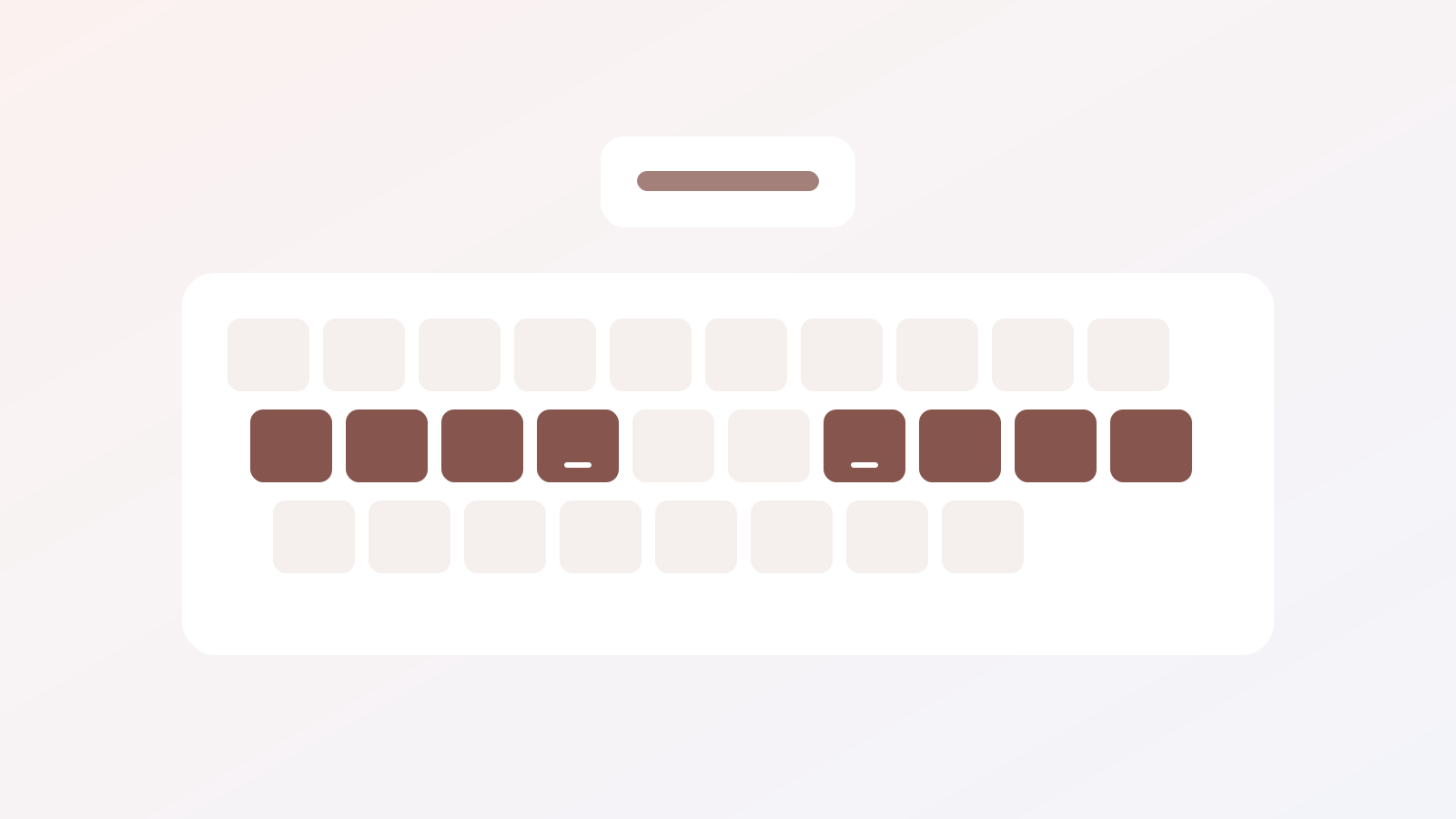
On a standard keyboard, your left fingers rest on A S D F and your right fingers on J K L ;. From this row, each finger reaches the keys above and below it, then returns:
The home row on a standard keyboard
- 1Rest your fingers on the home row
Left index on F, right index on J, thumbs on the space bar.
- 2Reach, then return
Each finger presses the key above or below, then goes back to the middle row.
- 3Don't look down
Use the bumps on F and J to find your place, and watch only the screen.
1. Measure your level first
Before any practice, know your starting point. Speed tests usually measure words per minute along with accuracy. Most tests count every five characters as one word, so results don't vary between short and long words:
| What you measure | Why it matters |
|---|---|
| Words per minute | Your net typing speed |
| Accuracy | How often you need to delete and correct |
| Hardest characters | Exactly where your fingers stumble |
How to read your test result
The first number is words per minute; the second is accuracy. Don't look at speed alone: fifty words a minute at 85% accuracy means you spend a lot of time fixing mistakes, while forty at 98% is actually faster in day-to-day work. Record both numbers every time, and watch how they move together over weeks, not days.
2. Accuracy before speed
Practice that locks in errors
- Rushing from the start with many mistakes
- Looking at the keyboard "just once"
- Typing with two fingers because it's faster for now
Practice that builds skill
- A slow, steady rhythm with high accuracy
- Eyes on the screen at all times
- Every finger on its own keys, even if slower at first
3. A daily practice plan
- 1Five-minute warm-up
The home row only, then the top row, then the bottom row.
- 2Ten minutes of real text
Paragraphs from your work or articles you read, not random words.
- 3A short test
Measure speed and accuracy in the typing speed test and log the result.
- 4Hard-character drill
Repeat the words you stumbled on today.
Regularity matters more than session length:
An illustrative example: four weeks of practice
In week one, focus only on the home row, ten minutes a day, without looking at the keyboard even if you're very slow. In week two, add the top row. In week three, the bottom row and numbers. In week four, practise on real text from your work, such as emails and reports. You'll probably feel slower than before in week two, which is completely normal, because you're building a new habit. The real improvement shows up after that.
4. A posture that protects your hands
Sit upright, keep the screen at eye level, your elbows at a comfortable angle and your wrists straight rather than resting on the desk's edge. Long typing in a poor posture causes strain that slows you down over time.
The US Occupational Safety and Health Administration publishes a practical guide to computer workstations, covering desk and chair height and keyboard and monitor placement to reduce strain on your hands and neck.
Common mistakes when practising
Looking at the keyboard. Every glance at the keys pulls you back to the old habit. If you need to, cover your hands with a light cloth during the first days of practice.
Practising for an hour once a week. Ten minutes a day helps far more than one long session, because motor skills are built through regular repetition.
Chasing speed before accuracy. Typing fast with lots of errors locks those errors in. Slow down until your accuracy reaches at least 95%, then build up gradually.
Ignoring rest. Pain in your wrists or fingers is a signal to stop, not to push on. Take a short break every half hour and stretch your hands and shoulders.
Stopping once you feel "fast enough". Skills fade without use, but everyday typing keeps them alive as long as you stay on the home row. Retest every couple of months; if your numbers slip, a week of short drills brings them back.
Shortcuts that save more time than raw speed
Alongside speed, learn the keyboard shortcuts you use every day: copy and paste, undo, find on the page, switching between windows, and selecting a whole word or line. Each shortcut saves two or three seconds, but you use it hundreds of times a day. Start with just two this week and use them deliberately until they become habits, then add more. Combined with touch typing, they make everyday computer work noticeably smoother.
A four-week training schedule
Week 1: learn the home row only and practise short words without looking down. Week 2: add the top row and take a 30-second test daily, focusing on accuracy. Week 3: add the bottom row, numbers and punctuation, and move to 60-second tests. Week 4: type real text from your work without looking and test at 120 seconds. Log speed and accuracy weekly; if accuracy drops below 95%, slow down slightly.
Conclusion
Improving typing speed is a short journey: a fixed home row, eyes on the screen, accuracy before speed and ten minutes a day. Measure your progress weekly, and you'll notice the difference within weeks. If you write long content, check its length and density with the Word Counter. Start now with the typing speed test.
Frequently asked questions
How are words per minute calculated?
Most tests count every five characters as one word, divide by the minutes taken, and some methods subtract errors.
What is the home row on an Arabic keyboard?
The middle row: ش س ي ب for the left hand and ت ن م ك for the right, matching ASDF and JKL; in English.
How long does it take to learn touch typing?
With ten to twenty minutes a day, most people see clear improvement within weeks, as long as they stop looking at the keyboard.
Is touch typing different in Arabic and English?
The principle is the same: your fingers start on the home row and each finger handles a set group of keys. But the letters are arranged differently, so each layout needs its own practice. Start with the language you type most, then add the other once your skill in the first is settled.
Does a special keyboard help you type faster?
A comfortable keyboard with responsive keys can make practice more pleasant, but it's no substitute for the practice itself. Most improvement comes from the right habits, not the hardware. If your current keyboard works well, start with it.
Sources & references

I believe technology is useful when it solves a clear problem — not when it's adopted because it's trendy. AI is a powerful tool for speeding up research, writing, analysis and automation, but it needs human expertise to review, guide and verify accuracy. That's why I prefer to start by understanding the business and its goals, then choose the simplest solution that delivers a measurable result, and build audience trust with honest, useful content.
- Reader rating
- 5.0(3)
- Published articles
- 84
- #typing speed
- #touch typing
- #keyboard
- #productivity
How would you rate this article?
Be the first to rate
Comments
No comments yet. Share your thoughts!