Headless CMS With Next.js: When You Need It and How It Works
In a traditional CMS, content and design live together. In a headless one, content is managed in one place and shown anywhere: a fast website, an app and more.
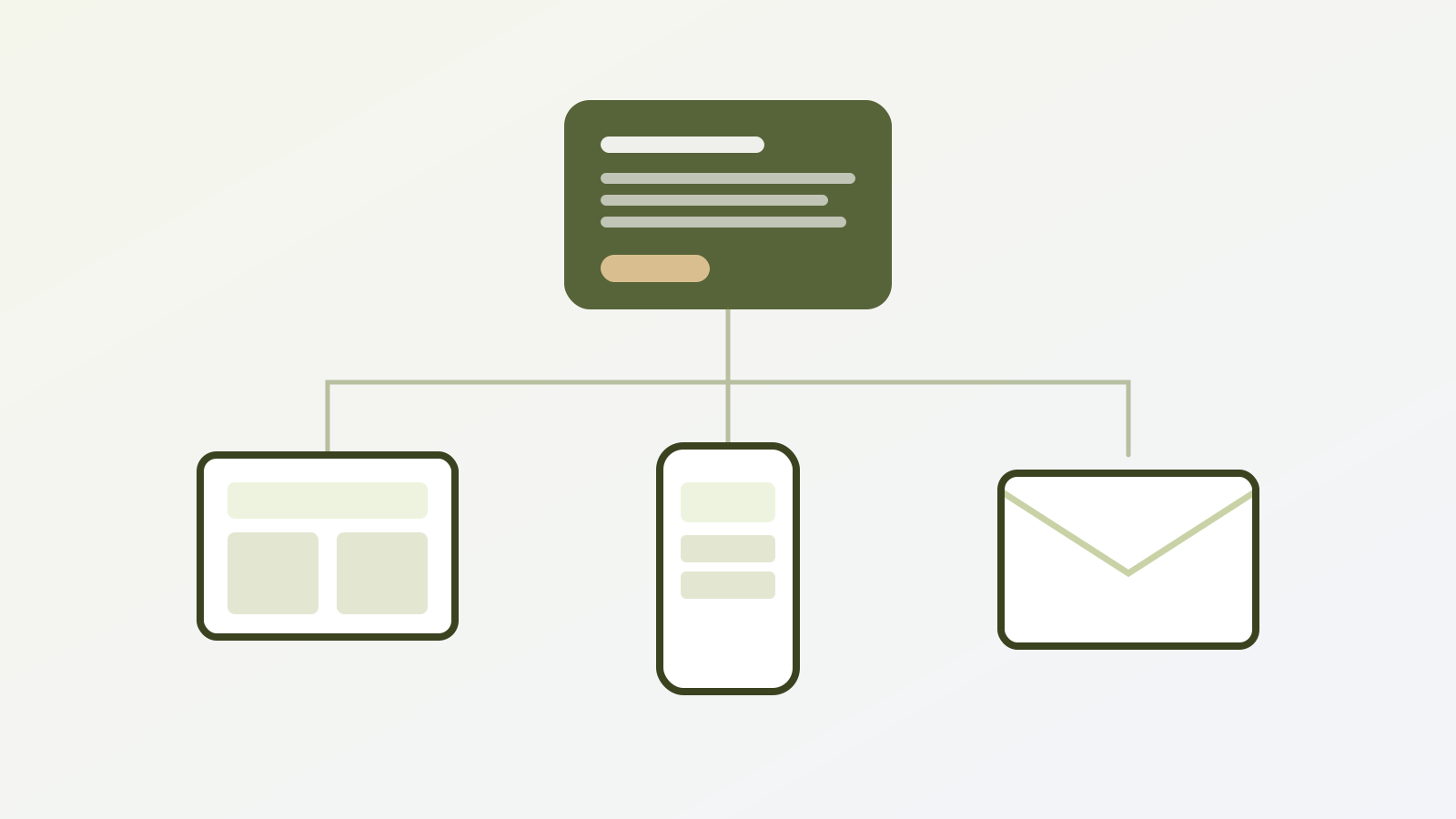
In traditional websites, content and design live in the same system: you write an article in the admin panel and it appears in the site's template straight away. That's convenient, but it ties you to one template, one speed and one channel. A headless CMS separates the two: content is managed in one place and displayed through an independent front end such as Next.js, in an app or on any other channel.
Key takeaways
- 1A headless CMS only manages content and serves it through an API.
- 2Next.js turns that content into fast server-rendered or pre-rendered pages, which is excellent for SEO.
- 3The same content feeds several channels: the website, an app, a newsletter and more.
- 4It isn't always the best fit; a small, simple site may be well served by a traditional CMS.
One content source, many channels
The core idea: your team writes content once in a clear admin panel, and it's shown everywhere it's needed without copy and paste:
Content written once, shown everywhere
- The website
Fast pages with Next.js
- The mobile app
The same content in the app's interface
- The newsletter
Excerpts from new articles
- Screens and displays
In-store or in-office content
How does it work with Next.js?
- 1The team writes in the admin panel
Articles, pages and products in structured fields, not just a free-form editor.
- 2Next.js requests the content
Through the API at build time or on request.
- 3The page is rendered on the server
Complete, fast HTML that visitors and search engines read instantly.
- 4Content updates automatically
The page regenerates when content changes, without rebuilding the whole site.
The official Next.js documentation explains data fetching and page regeneration, the foundation the front end relies on when it reads content from a headless CMS.
An illustrative example: publishing an article end to end
An editor writes an article in the CMS, adds the title, image and category in separate fields, then presses "Publish". The CMS automatically notifies the website that content has changed, and Next.js regenerates only the article page and the article list, not the whole site. Seconds later visitors see the new article on a fast, pre-rendered page. The same article can appear in the mobile app or the newsletter from the same source without being copied.
The benefits: why many choose it
Pre-rendered, cached pages that support Core Web Vitals.
Complete content in the HTML and precise control over titles, structured data and the sitemap.
The admin panel is separate from the public site, so the attack surface is smaller.
The front end isn't bound to a template, so you build exactly the experience you want.
The content model is the decision that comes first
Before choosing any system, write down the content types you need and the fields of each: an article has a title, summary, body, author and category; a service page has a description, benefits, FAQs and an indicative price. This is called the content model, and it decides whether editors find the system easy or confusing. A clear model keeps every page consistent and stops a free-text field from becoming a dumping ground for every detail.
When don't you need it?
A headless CMS adds flexibility, but it also adds development work. An honest comparison:
A traditional CMS is enough when
- The site is a small brochure with few pages
- There's no development team to maintain a separate front end
- The website is the only channel
A headless CMS is worth it when
- Speed and SEO are a main source of customers
- The same content appears on more than one channel
- You need design and integrations no template offers
As for what we usually choose:
What to ask before you start
| Question | Why it matters |
|---|---|
| Who will edit content day to day? | The admin panel must be easy for your team, not just developers |
| Is there a preview before publishing? | Editors need to see the page as it will appear |
| How are images and media handled? | Automatic compression and resizing, as in our image optimisation guide |
| Who will maintain the front end? | A separate front end needs a development team long term |
Ask about preview too, because it's what editors miss most in headless systems: can an editor see the article exactly as it will appear on the site before publishing? And if the site is bilingual, ask how the CMS manages translations, and whether it links the Arabic and English versions of the same content.
Common mistakes when choosing a headless CMS
Choosing it because it's fashionable. A ten-page company site that rarely changes doesn't need a decoupled architecture. The extra complexity has development and maintenance costs that a real need has to justify.
Neglecting the editor experience. Developers choose the system, but editors use it every day. Ask an editor to write and publish an article in it before you make the final decision.
Forgetting SEO in the front end. A headless CMS doesn't add titles, descriptions and structured data automatically. Make sure editors have fields for them and that the front end renders them correctly.
Comparing only the monthly price. Some systems look cheap at first, then become expensive as users or API requests grow. Estimate the cost after two years of growth, not just the first month.
Underestimating the build. With a traditional CMS, templates come ready-made. With a headless CMS, every page type, preview and search feature has to be built in the front end. Budget for that work honestly before committing.
How to make the decision in practice
Write down three questions and answer them honestly. Will the same content appear on more than one channel, such as the website and an app? Are speed and front-end experience a core part of how you compete? Do you, or a partner you work with, have the ability to build and maintain the front end? If the answers are mostly yes, a headless CMS is worth trying. If they're mostly no, a good traditional CMS with a fast theme will serve you at lower cost.
Conclusion
A headless CMS separates writing content from displaying it: one admin panel, a fast Next.js front end and several channels from the same source. It's excellent for speed, SEO and flexibility, but it needs a team to maintain it, so choose it when you genuinely need its benefits. To go further, read our professional website guide, or explore our website development service.
Frequently asked questions
What's the difference between a traditional and a headless CMS?
A traditional CMS manages and displays content in the same template; a headless CMS only manages content and serves it through an API, while a separate front end such as Next.js displays it.
Is a headless CMS right for small sites?
It may be more than a small brochure site needs. It shines when you need high performance, multi-channel publishing or flexible design and integrations.
Does it affect SEO?
It can improve it a lot when pages are server-rendered or pre-rendered, as Next.js does, because content is complete in the HTML and loads fast.
Can a marketing team use a headless CMS without a developer?
Yes, for day-to-day work, provided the system is set up well from the start: clear content types, understandable fields and a preview that shows the page before publishing. Adding an entirely new page type or changing the design usually needs a developer, because the front end is separate from the CMS.
What happens to our content if we switch systems later?
Because content is stored as structured data rather than pages tied to a template, moving it is often easier than with traditional systems. Ask the provider before you start how content and images are exported, and try exporting a small sample to make sure you genuinely own your data.
Sources & references

I believe technology is useful when it solves a clear problem — not when it's adopted because it's trendy. AI is a powerful tool for speeding up research, writing, analysis and automation, but it needs human expertise to review, guide and verify accuracy. That's why I prefer to start by understanding the business and its goals, then choose the simplest solution that delivers a measurable result, and build audience trust with honest, useful content.
- Reader rating
- 5.0(2)
- Published articles
- 82
- #headless cms
- #nextjs
- #architecture
How would you rate this article?
Be the first to rate
Comments
No comments yet. Share your thoughts!